RVAltCtrl can pair with small, battery-powered Bluetooth (BTLE) sensors and place them anywhere a wired sensor couldn't reach. No extra wiring, no drilling. These sensors talk directly to RVAltCtrl, no extra hardware or hubs required. Today that means temperature & humidity, propane tank levels, motion, and button sensors, each showing up right alongside your RV's built-in systems and available as triggers for your own automations. This is part of RVAltCtrl's optional Feature Store.
As an Amazon Associate, RVAltCtrl earns from qualifying purchases.
Temperature & Humidity
Your RV's AC units already report an ambient temperature, but that's one reading, from wherever the AC's sensor happens to be. Wireless temperature & humidity sensors let you go further: place them outside to see the weather at the campsite, in the fridge, freezer, or a cooler to make sure they're actually holding temperature, tuck one in a storage bay to catch a freeze warning before it becomes a real problem, or anywhere else you want a second opinion. They also work as a backup to your built-in AC readings, so you're never fully blind if a stock sensor ever misbehaves. Knowing the humidity inside the RV is a nice bonus too, an early warning for condensation or a musty smell before it becomes a bigger issue. This is especially handy if you're keeping an eye on pets or perishables while you're away from the RV: check in from your phone instead of wondering.
Govee Bluetooth Thermometer & Hygrometer
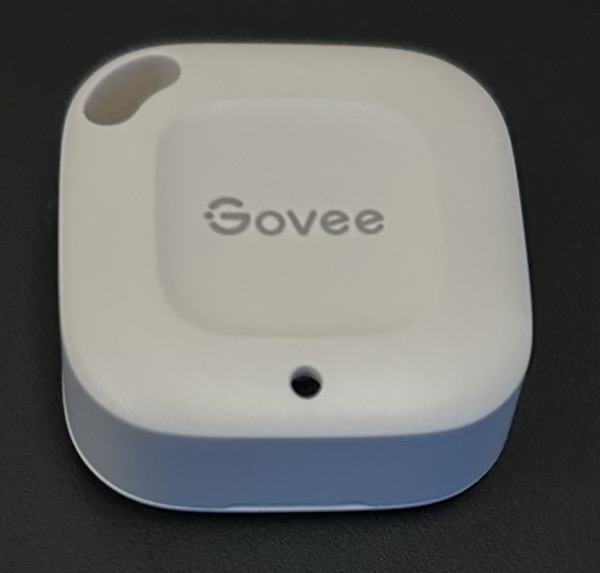
Battery-powered and reads out to roughly 260 ft, a good fit for a fridge, freezer, or outside mount, and also handy in coolers, storage areas, or as a backup for your internal AC temperature readings. Mini and compact, it's lightweight, portable, and built for long battery life, so you can place it and forget about it. RVAltCtrl can pair with multiple of these at once, so you can track several spots at the same time, each showing up as its own trigger and as a live reading you can check remotely, not just from the RV's own network. View on Amazon.
Govee Bluetooth Thermometer & Hygrometer
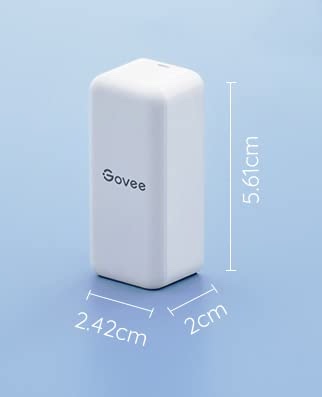
Same as the one above, but in a different form factor, and it runs on a single AAA battery. View on Amazon.
Govee Thermometer Hygrometer H5051 Indoor with LCD
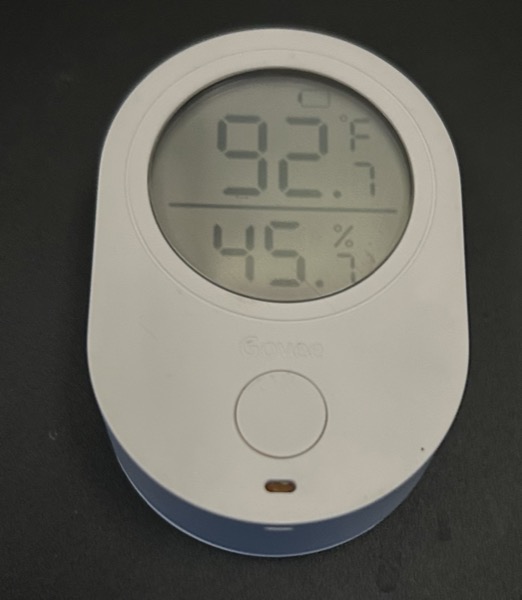
Same idea as above, but with a built-in LCD that shows the current temperature and humidity right on the device, so it's best placed somewhere inside the RV you'll actually walk by and glance at: a hallway, the bedroom, or near the thermostat. With the LCD, you get the reading two ways: right on the device itself, and in the RVAltCtrl dashboard. View on Amazon.
All of these Govee sensors also work with Govee's own app, so you can pull up live and historical readings there in addition to the real-time monitoring RVAltCtrl does for triggers and remote viewing.
Motion
A motion sensor reports "motion detected" and "motion cleared," which you can wire into a Trigger to automate whatever makes sense for that spot: turn on the step lights when someone walks up at night, flip on an interior light when you come in with your hands full, or send yourself an alert if something moves in the RV while you're away. One sensor, two events, and you decide what happens on each.
Shelly BLU Motion
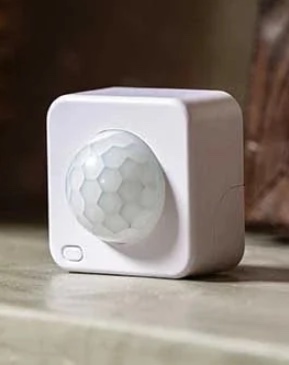
A compact, battery-powered motion and light sensor that helps your RV respond intelligently to its surroundings. Easy, wire-free installation and long battery life mean it fits seamlessly into any setup, tuck it above the entry steps, in a storage bay, or wherever you want the RV to notice someone or something moving. Place one in the bedroom and use it to gently dim the interior lights to a low nightlight level when you get up in the middle of the night, no fumbling for a switch. View on Amazon.
Buttons
Wireless buttons give you a physical way to trigger automations from anywhere in the RV, no app required. RVAltCtrl supports both single standalone buttons and multi-button remote controls, and each button press can be wired to its own pre-configured automation, so the same physical button can do several different jobs depending on how you press it.
Shelly Magnetic Four Button
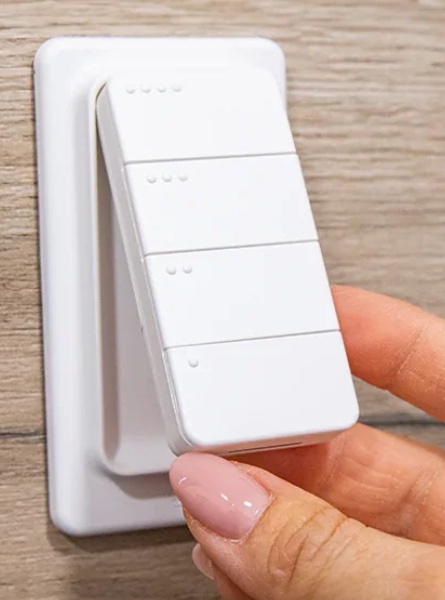
A four-button remote with built-in magnets and a magnetic holder for versatile placement, so you can mount it almost anywhere and pull it free when you want it in hand. With long battery life, it supports 4 buttons, each recognizing single, double, triple, and long press, for 16 total actions. Each of those 16 actions can be set to start a single light, device, or routine you pre-configure. View on Amazon.
Remote Controls
A remote control packs several buttons into one handheld unit, so you get multiple triggers without mounting multiple devices. Keep one on the coffee table or nightstand and use it to fire off different routines from a single spot, no phone required.
Shelly BLU Remote Control
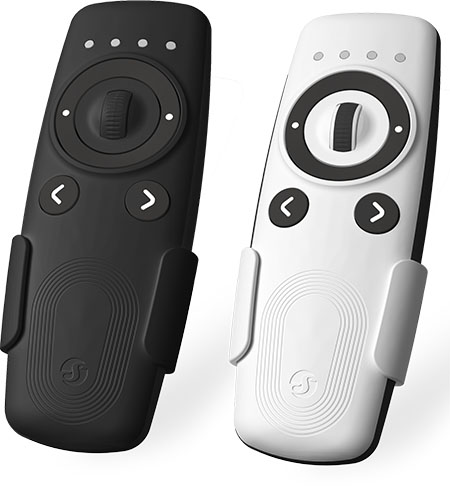
This remote has up to 4 selectable channels, each with 2 buttons and a roller wheel. The LEDs show which channel you're on, and the arrow buttons at the bottom switch between them. The buttons can be assigned to any custom routine you create, so a single remote can control multiple lights or devices. The roller wheel controls brightness for the lights you pre-select in your RV. View on Amazon.
Smart LED Lighting with WLED
Many LED strip controllers use free software called WLED to manage colors, lighting effects, and more. RVAltCtrl can automatically discover these controllers on your RV's network and import their saved presets, so you can control your lights from RVAltCtrl and use them in your routines and triggers.
Build the looks you like in the WLED app (a warm glow for movie night, a bright white for working outside, a slow color fade for the awning) and save each one as a preset. Then choose which presets to make available in RVAltCtrl. Every controller you add gets its own page under Controls, with on/off, brightness, and a drop-down of its presets, and it works from anywhere once remote access is set up. Pair a WLED preset with a motion sensor and your under-awning lights come on by themselves when you walk up at night, then turn off when you leave. This is part of the same optional Feature Store unlock as Customized Automations.
WLED LED Strip Controllers
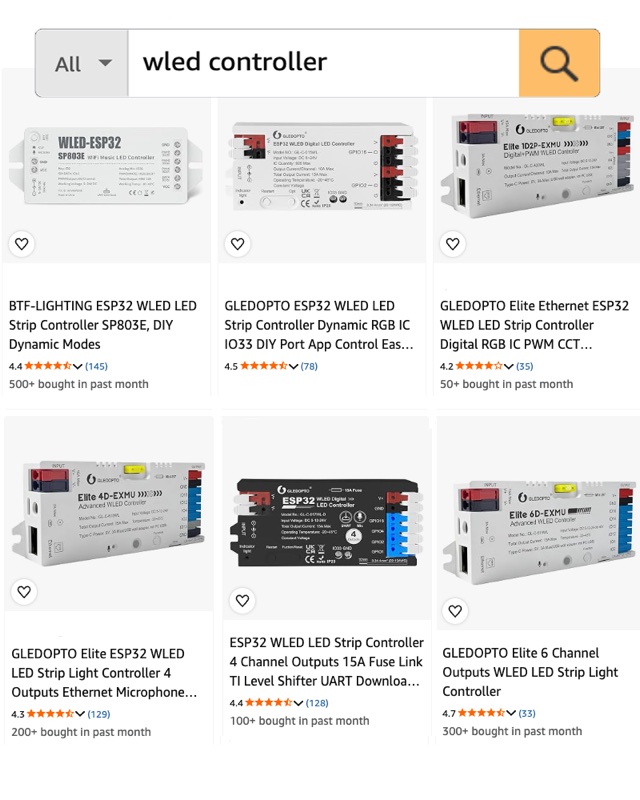
A small WLED controller is all it takes to turn an ordinary LED strip into a smart light that RVAltCtrl can dim, recolor, and run on a schedule. Choose the controller to match your strip. If you have addressable LEDs, the kind that can show different colors and animated effects along the strip, pick an addressable WLED controller. These are the most common and give you the full range of WLED effects. If your strip is plain RGB (non-addressable, one color across the whole strip at a time), pick a PWM WLED controller instead. Either way, you get a tiny, inexpensive controller that adds colors, effects, and presets to your RV lighting, and RVAltCtrl finds it on your network automatically. Browse WLED controllers on Amazon.
Propane Tank Levels
Your RV may already have LP tank sensors built in, and if it does, RVAltCtrl already shows them. A Mopeka tank sensor is a handy add-on in that case. Use it to double check the stock sensor, which on many RVs is only a rough guide, or as a replacement if the stock sensor ever stops working. If your RV never had LP tank sensors at all, this is an easy way to get a real tank level for the first time, with no wiring and no tools.
Set the Mopeka up once with its own app, and from then on it broadcasts its tank level all the time. RVAltCtrl listens for it, shows the level on your dashboard, and can publish it to Home Assistant. The Mopeka app only works while your phone is near the tank, but RVAltCtrl lets you check the level from anywhere with remote access, so you can see how much propane is left before you leave for a trip, or while the RV is in storage.
You choose what happens with each sensor. It can show up on the dashboard as its own Propane Tanks tile, with its temperature if you like, and it can also stand in for your RV's built-in LP1 or LP2 level. When it does, the Mopeka reading shows up everywhere the stock one would, as if it came from your RV's own sensor. That's the way to go if the stock sensors no longer work. You can also fine-tune the reading to match the Mopeka app, right from the RVAltCtrl Bluetooth devices page. You can add more than one sensor, so a spare tank or an outdoor grill tank can be tracked too.
Mopeka Pro Propane Tank Level Sensor
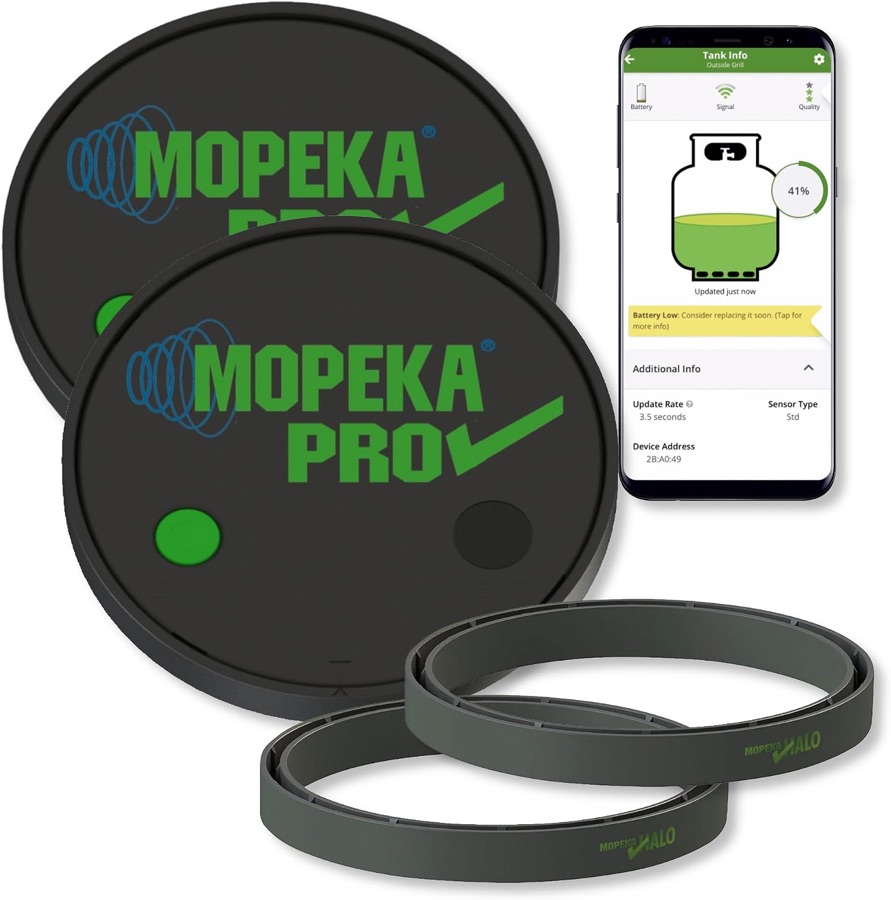
Mounts to the bottom of the tank with magnets and locks to the tank level in seconds, with improved ultrasonic performance. The strong magnets won't fall off your RV propane tanks, even on bumpy roads. Because it reads from underneath, there's nothing to plumb or wire, and it works with the tanks you already have. View on Amazon.