Customized Automations is two connected pieces: Routines, which are what you want to happen, and Triggers, which decide when it happens automatically. Together they let you build the exact behavior you want out of your RV, instead of taking every action by hand every time. This is part of RVAltCtrl's optional Feature Store. You can explore and experiment with the editors for free; saving and running them live requires the feature to be unlocked.
Routines
A routine is a saved list of actions (turn on these lights, set the AC to 72°, activate the roof fans) that runs in order with a single tap. Build one from the actions you already use every day, run it manually from the Routines page or a Dashboard button, or hand it off to a Trigger to run itself. If a routine only turns things on and off, it can automatically run in reverse too, so the same routine that sets up "movie night" can also tear it back down.
Triggers
A trigger watches for something happening (motion, a wireless button press, time of day, an RV mode change, shore power connecting or disconnecting, rain starting or stopping, or a battery/tank/temperature threshold) and runs a routine automatically when it does. Each trigger points at one routine, and a routine can have several triggers pointed at it, so a "motion detected" trigger can turn something on while a separate "motion cleared" trigger runs that same routine's Off version to turn it back off. You can disable any trigger without deleting it: its condition just stops being watched until you turn it back on.
Triggers get especially exciting once you add wireless sensors into the mix, buttons, motion sensors, and door/window sensors that trigger routines from anywhere in or around your RV, not just from what RVAltCtrl already sees on the RV's own systems.
Alerts
Add an Alert action to any routine to get a phone notification whenever it runs: a text the moment motion occurs, a heads-up when someone opens the door while you're away, or just a quiet confirmation that the "arrived at campsite" routine did what it was supposed to.
Example Usages
OEM Mode Override
Your RV's OEM control system often comes with its own pre-programmed modes, like "Sleep" or "Away," that do more than you might expect when you switch to them. A trigger can detect that an OEM mode change happened, then hand off to a routine that undoes or adjusts whatever part of it you don't like, without you having to give up the mode entirely.
Airstream's built-in Sleep mode, for example, turns on the grab handle light. If you'd rather it stayed off, set up a trigger on that mode change to run a routine that turns the grab handle light back off right after the OEM mode change finishes applying. See it in action in this video.
Fresh Air Switch
A dashboard or wireless button that runs a single routine: set both roof fans to full speed, open the domes, and run the motors in opposite directions, one forward and one reverse, for real through-airflow instead of just recirculating, then turn on the bath fan too. One tap quickly cools down a hot RV after a long travel day in the hot sun.
Pet Temperature Alert
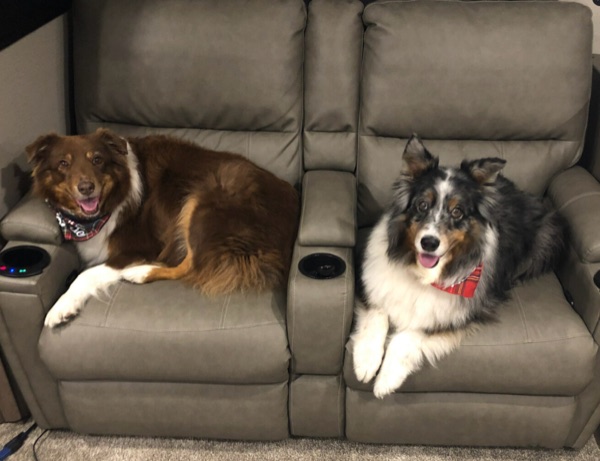
A temperature trigger watching either your AC's built-in ambient temperature or one of your wireless sensors, set to fire if the RV gets warmer than whatever you consider safe for a pet left inside. The routine it runs sends you an Alert notification right away, so you find out the moment it happens instead of hoping the AC keeps up. It can also display the current temperature right on your smartwatch, see Smartwatch for how to set that up.
Nighttime Security Light
A wireless BTLE motion sensor mounted on the patio, combined with a time-of-day condition so it only acts after dark. When it detects motion at night, it runs a routine that turns on the patio light and sends you an Alert notification, so you know right away if someone's outside the RV.