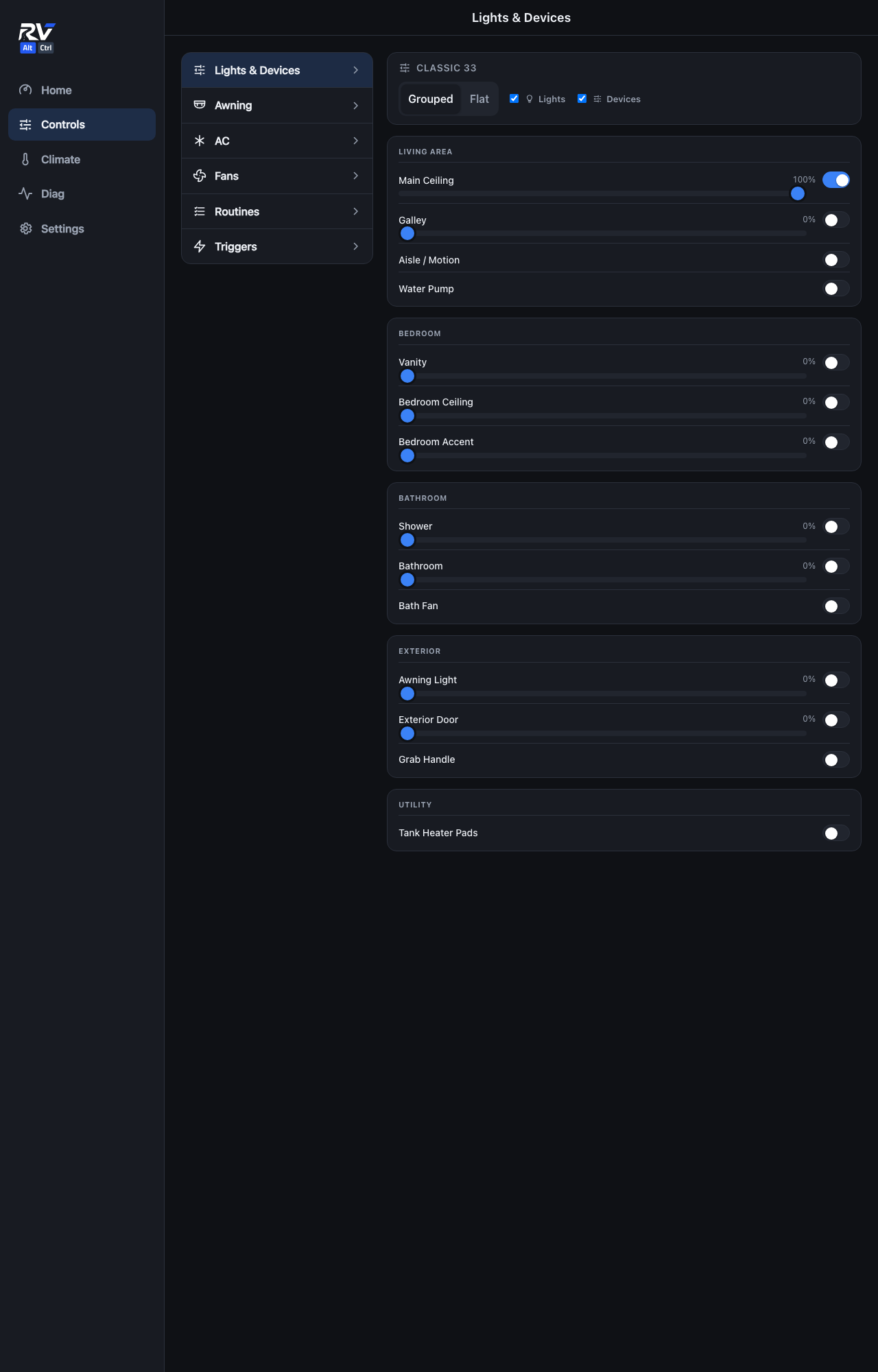
Control every light and switched device in the RV from one screen, grouped by area (Living Area, Bedroom, Bathroom, Exterior, Utility). Dimmable lights show a percentage and a slider; on/off-only devices show a toggle.
Grouped vs. Flat view
Grouped organizes every light and device by the area of the RV it's in. Flat shows everything as a single list instead, which is faster to scan once you know a device's name and don't need the area context.
Filtering
The Lights and Devices checkboxes above the list narrow it down to just lights, just switched devices, or both, handy on a phone screen where the full list needs scrolling.
Dimming
Any light with a slider supports dimming. Drag the slider, or tap the percentage and type an exact value. The toggle next to it is a shortcut for full brightness / off, not a separate on/off state from the dimmer.